Run your entire rental businessfrom one platform.
EventRentalOS gives table, chair & party rental businesses a booking website, date-based inventory that can't double-book, quotes that hold stock, Stripe payments & deposits, and pickup/return fulfillment — so you can retire the spreadsheet and the back-and-forth.
- Free to start
- Your own Stripe & payouts
- Live in an afternoon
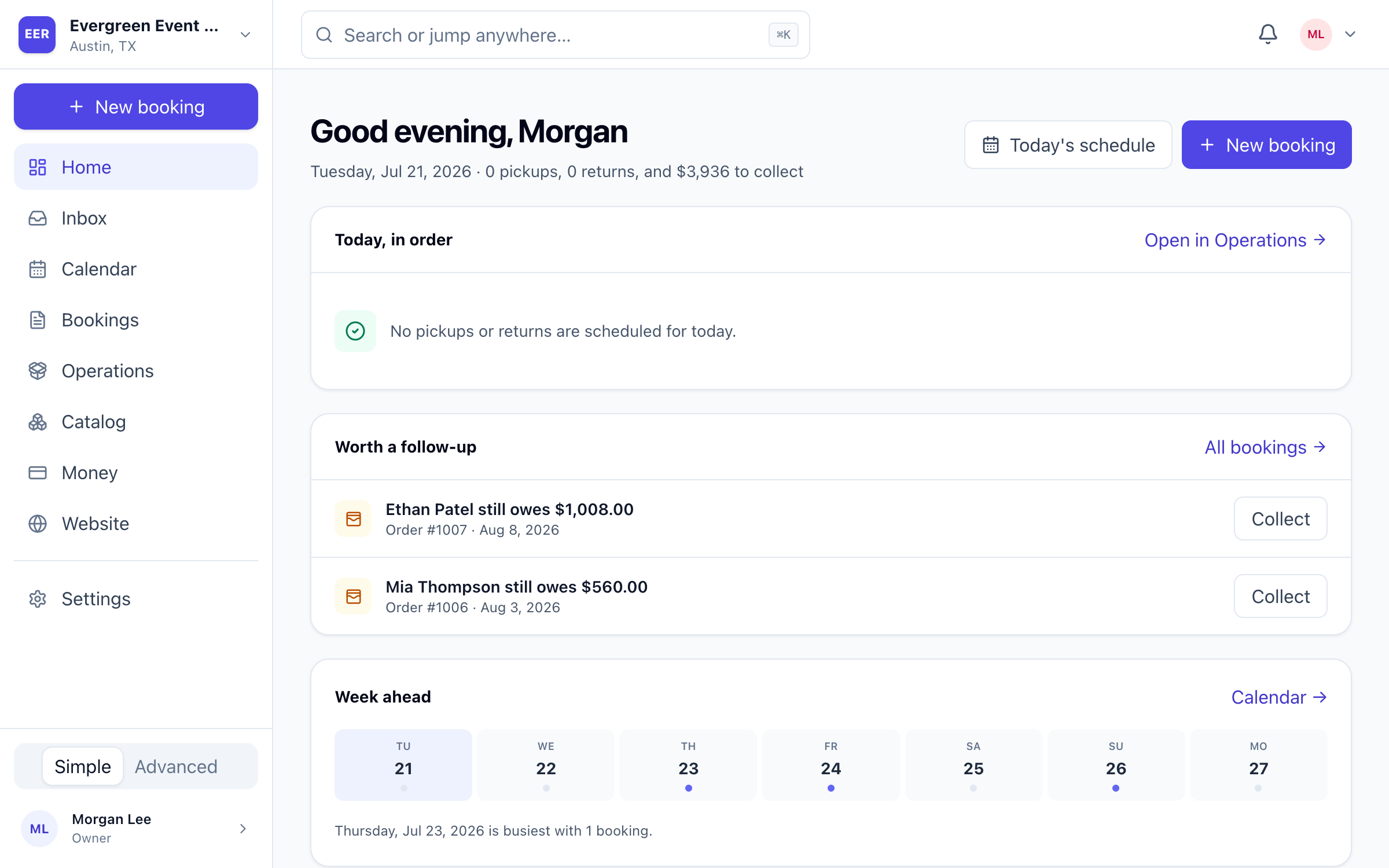
One platform for the whole rental lifecycle
Ecommerce tools break on rentals.
Selling a chair is a one-way transaction. Renting one means tracking it out the door, back in, through the wash, and onto the next event — without ever promising the same stock twice. That's a different kind of software.
The spreadsheet-and-DMs way
- Double-bookings when two orders grab the same 100 chairs
- Availability lives in your head — or a spreadsheet you can't trust
- Quotes emailed as PDFs with no way to hold stock or get paid
- Deposits, damage, and cleaning tracked on sticky notes
- Shopify & Square assume you sell items once, not rent them out and back
The EventRentalOS way
- Availability is computed from real stock, holds, cleaning & damage
- Checkout is blocked the moment a date would go short
- Quotes hold inventory for 24–48h and collect payment online
- Refundable deposit holds, damage charges, and card-on-file built in
- Every screen is built around the rental lifecycle, from day one
Everything the rental lifecycle needs, connected.
Catalog, availability, quotes, payments, fulfillment, and reporting share one source of truth — so a return that comes back damaged updates availability, flags cleaning, and warns you about next week's order automatically.
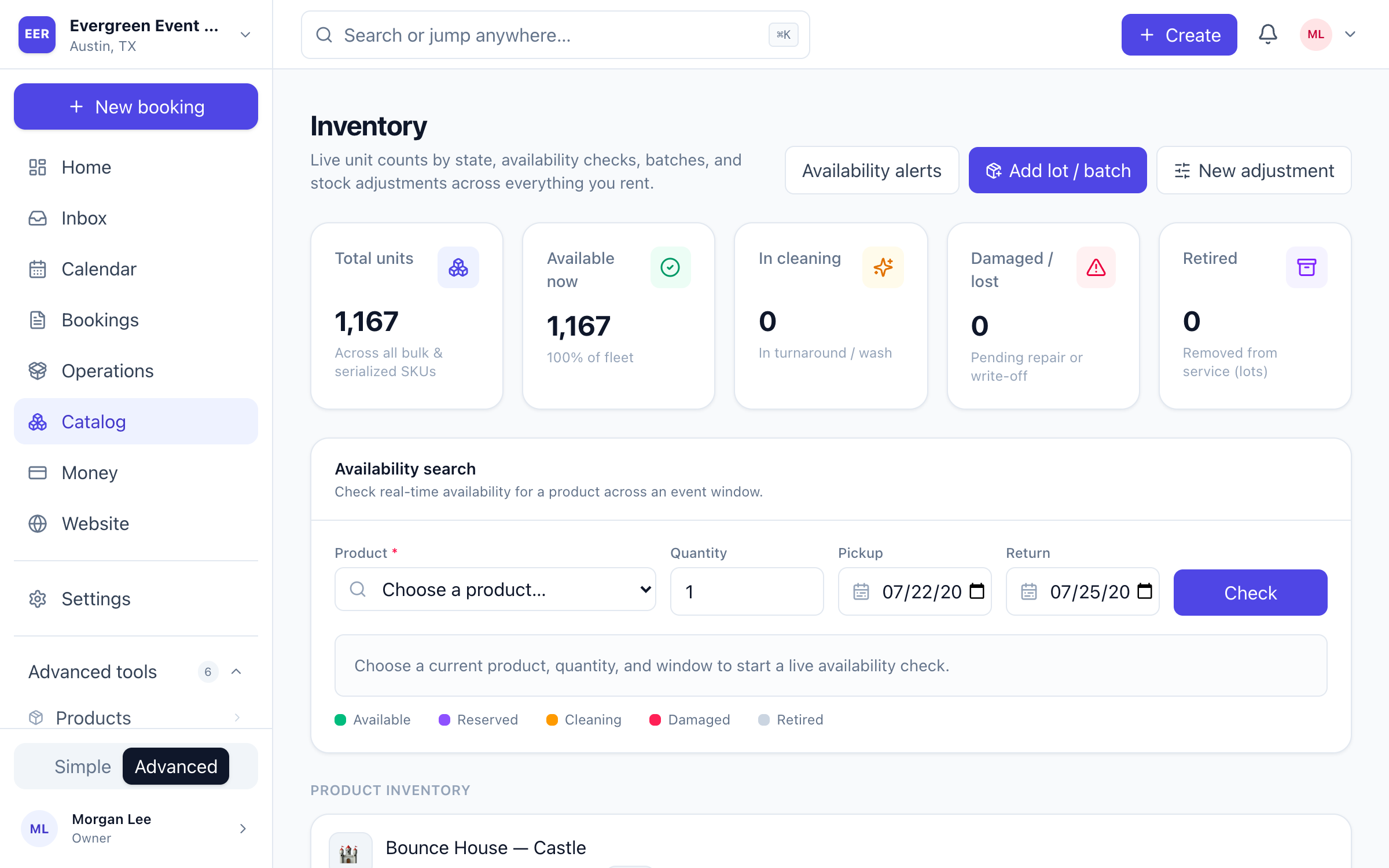
Inventory that refuses to double-book
Every product tracks real units across bulk counts and purchase batches. When a customer picks dates, EventRentalOS subtracts confirmed reservations, live quote holds, items in cleaning, and damaged stock — then applies your turnaround buffers before it says “available.”
- Real-time availability check across any event window
- Bulk & serialized units, tracked by state (available, reserved, cleaning, damaged, retired)
- Overbooking blocked at checkout — not after the phone rings
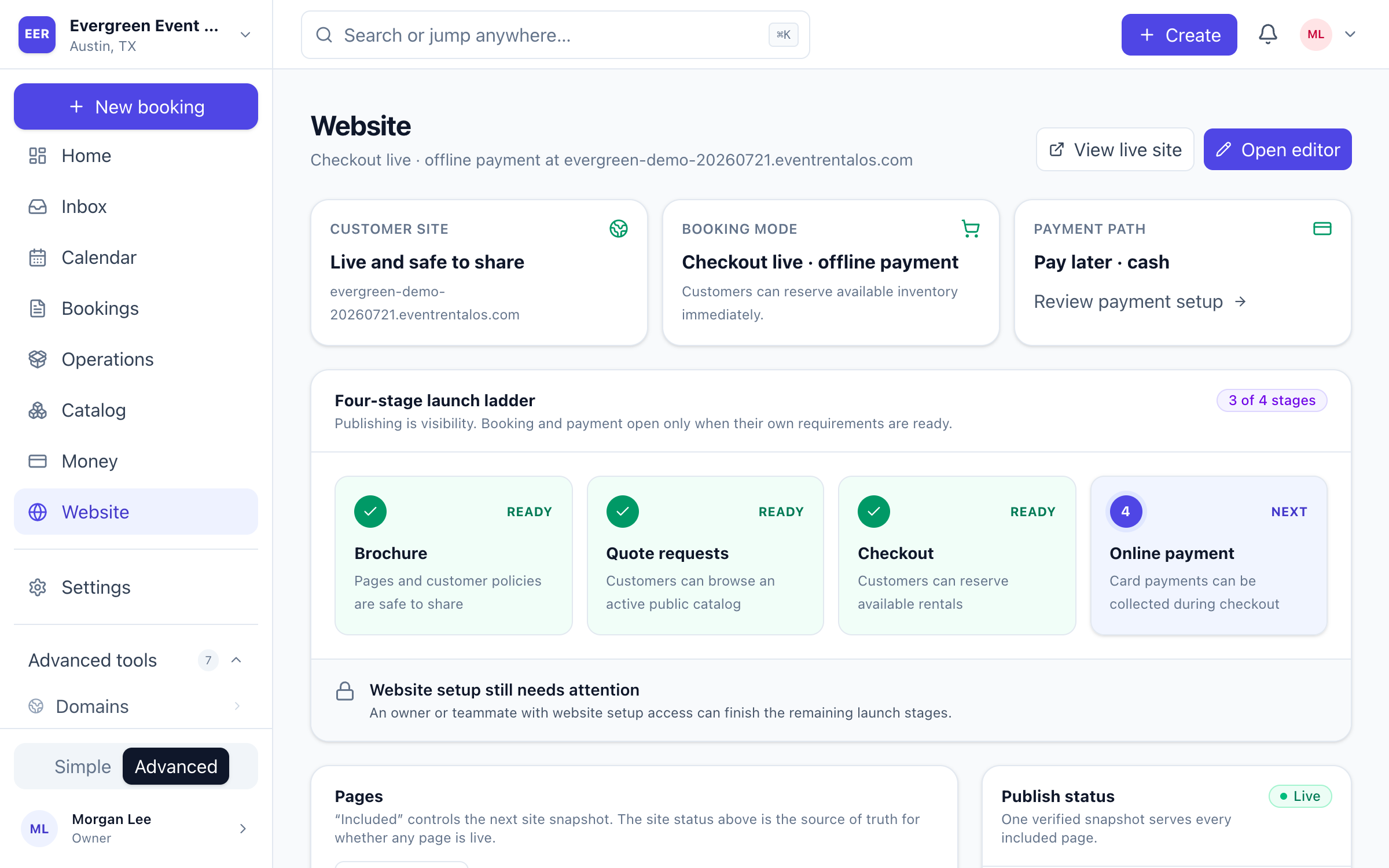
A booking website, generated from your catalog
Publish a hosted storefront on your own subdomain — or connect a custom domain. Customers browse your catalog, check real availability, pick valid pickup and return times, and check out or request a quote. Pick a template and edit your copy and policies in a visual editor.
- yourbusiness.eventrentalos.com out of the box, custom domain when ready
- Pages generated from your catalog and kept in sync automatically
- Instant-book, request-approval, or quote-first checkout modes
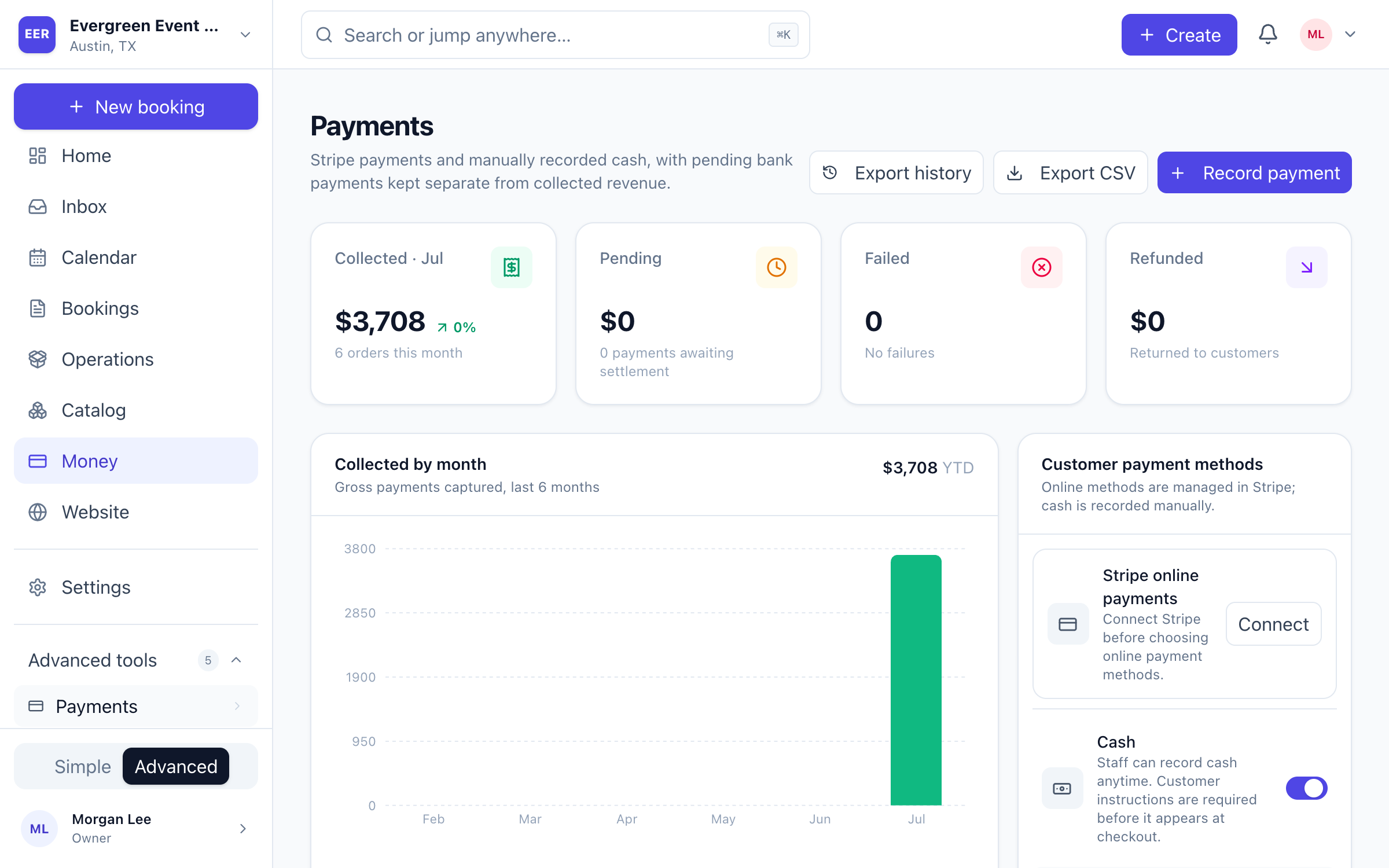
Quotes that hold stock and get paid
Send a professional quote with a 24–48 hour inventory hold. Customers accept and pay online, and expired holds release automatically so nothing stays stuck. Payments, refundable deposit holds, and damage charges settle through your own Stripe account — cash and check recorded in the same ledger.
- Time-boxed inventory holds that release on expiry
- Stripe checkout in your merchant account — you keep the revenue
- Refundable security deposits, damage captures, and card-on-file
From pick list to clean, in one flow
Staff work today’s pickups and returns from the mobile-ready dashboard. Pick lists expand packages into real items, orders move through staged and ready, and returns route into cleaning, damage, and loss — with alerts when a loss puts a future booking at risk.
- Pick lists with packages expanded and staged/ready statuses
- Cleaning queues, photo-backed damage reports, and loss tracking
- Future-order risk alerts when stock runs short
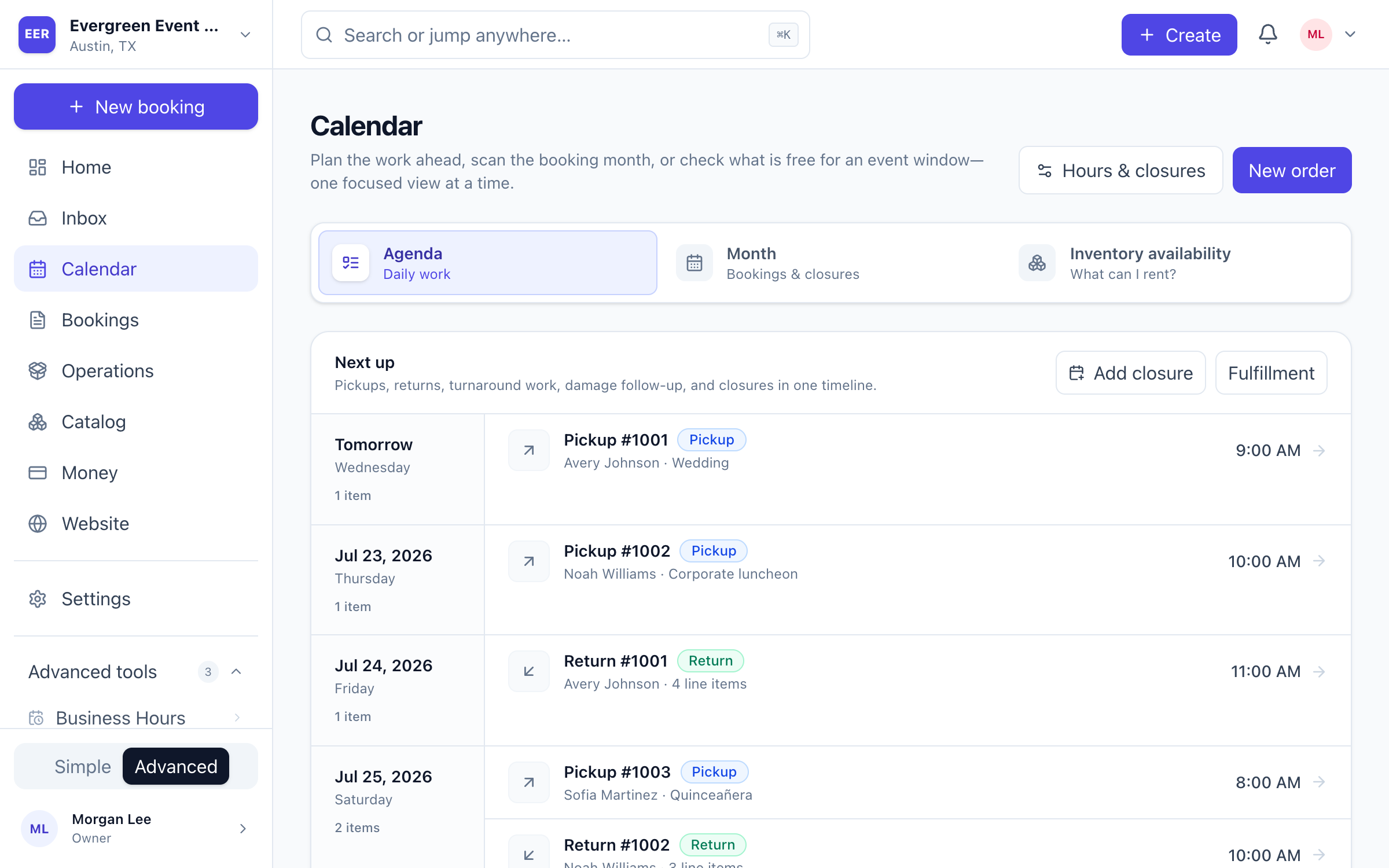
Every order, every item — in one place.
Orders, quotes, customers, and catalog live together, so the whole team works from the same numbers instead of chasing threads.
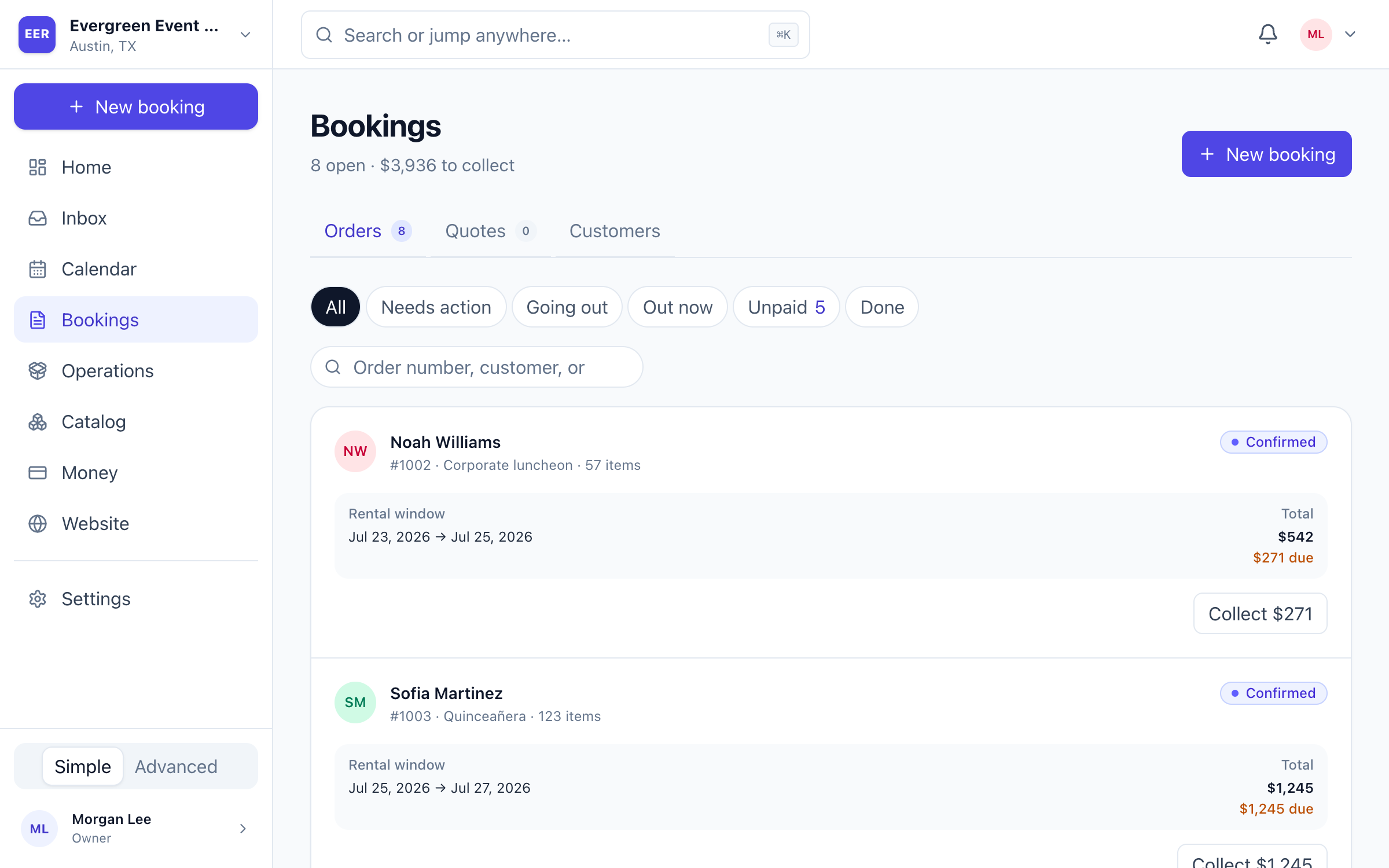
Bookings. Scan every upcoming rental, payment balance, event window, and next action.
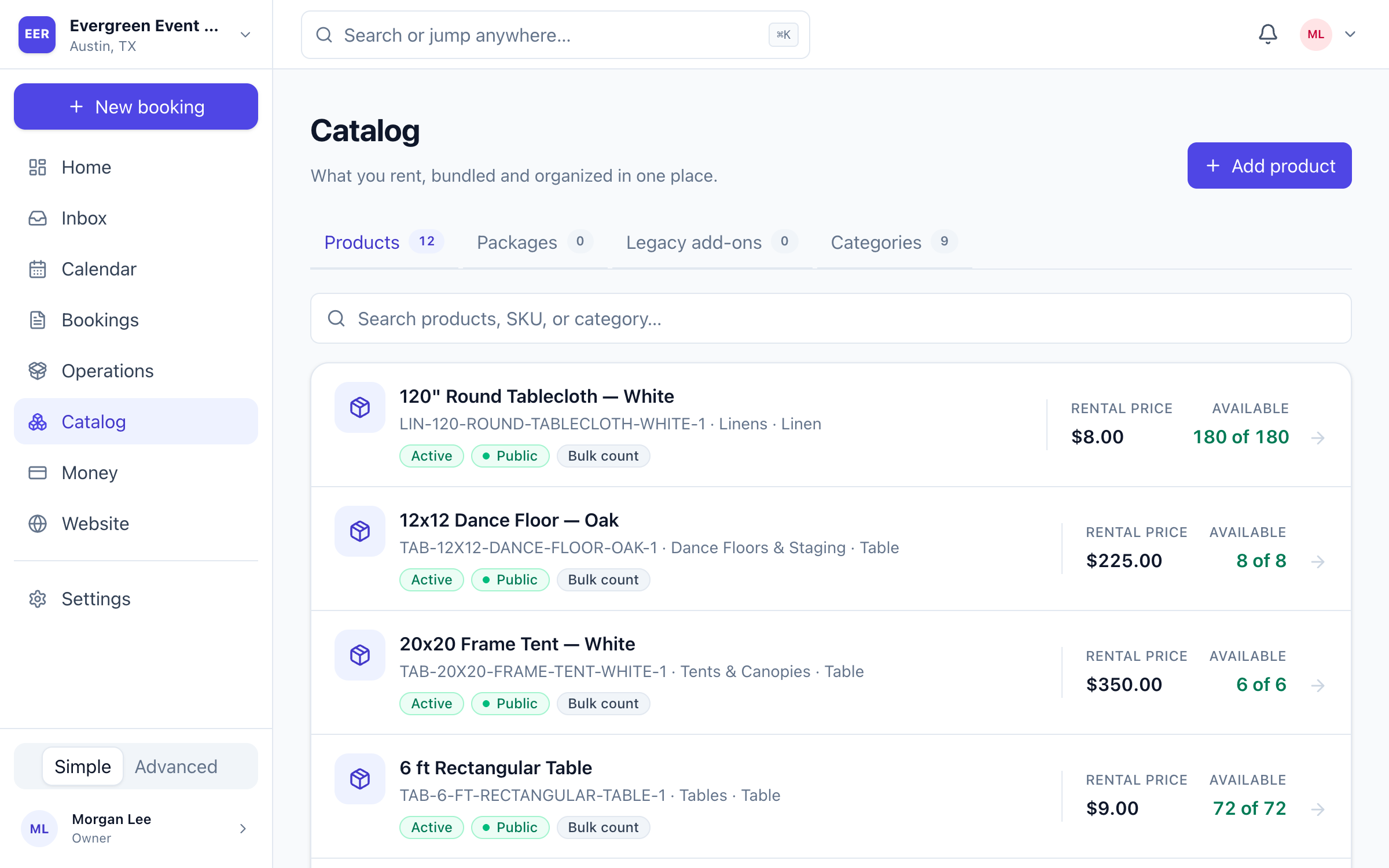
Catalog. Active products, prices, visibility, and on-hand quantities in one clean workspace.
A booking website your customers will actually finish.
Every account can publish a polished, mobile-ready storefront that browses your catalog, checks live availability, and takes payment — all under your brand.
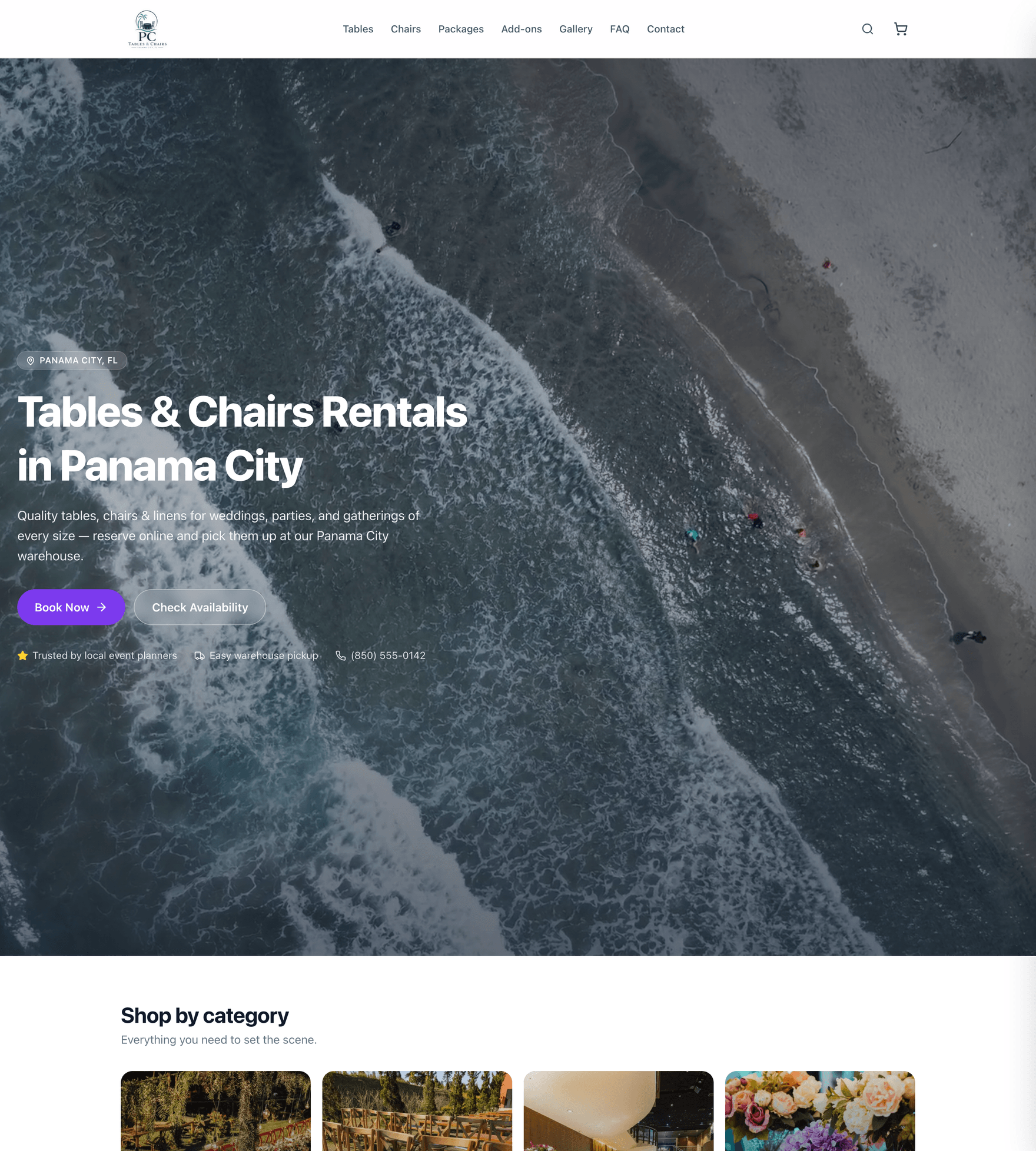

Templates you can make your own
Start from a designed template, then edit copy, policies, photos, and brand in a visual editor.
Real availability, not a contact form
Customers see valid pickup and return windows and true stock — before they ever reach checkout.
Book, request, or quote
Choose instant booking, approval-first, or quote-first per business — the storefront adapts.
Live in an afternoon.
Guided setup walks you from empty account to published storefront — no engineer, no migration project.
- 1
Create your workspace
Sign up, name your rental business, set pickup hours and rules, and connect Stripe. Build your catalog fast from our common product library — white resin chairs to 60″ rounds, prefilled with photos.
- 2
Publish your website
Pick a template, edit your copy and policies in the visual editor, and publish to yourbusiness.eventrentalos.com. Add a custom domain with two DNS records whenever you’re ready.
- 3
Run it all from one dashboard
Orders, quotes, calendar, inventory, payments, deposits, cleaning, damage, reports, and your team — with roles, audit logs, and confirmations and reminders on autopilot.
Depth where rental businesses need it.
The essentials to get selling, and the operational depth to run a busy warehouse without things falling through the cracks.
Catalog & inventory
Date-based availability
Bulk & serialized units, batches, and turnaround buffers.
Packages & add-ons
Bundles that consume real stock; upsells like linens.
Variations & pricing
Options, per-event and duration pricing, deposits.
Common product library
Prefilled templates and stock photos to launch fast.
Sales & payments
Quotes with holds
Time-boxed inventory holds that release on expiry.
Stripe payments
Your merchant account, cards, ACH, cash & check.
Deposits & card-on-file
Refundable holds, damage captures, follow-up charges.
Coupons & pricing rules
Discounts and rules applied consistently at checkout.
Operations
Pick lists & staging
Packages expanded; staged and ready statuses.
Cleaning queues
Returns route into turnaround automatically.
Damage & loss
Photo-backed reports; items pulled from availability.
Future-risk alerts
Warns you when a loss threatens upcoming orders.
Team, comms & insight
SMS & email
Confirmations, reminders & late notices, from your number.
Mobile-ready staff workflows
Check out & in from any browser with photos, notes, and signatures.
Roles & audit logs
Owner to viewer, with a trail on sensitive changes.
Reports & CSV export
Revenue, utilization, quote win rate, and more.
Simple plans. You keep your rental revenue.
Your customers pay you directly through your own Stripe account — we never touch a dollar of your bookings. Your EventRentalOS subscription is billed separately.
Starter
For new rental businesses getting online.
- Dashboard, orders & quotes
- Date-based inventory & availability
- Up to 3 team members
- Cash / check & manual payments
- Email confirmations & reminders
- Website available as an add-on
Pro
Everything to run a busy operation.
- Everything in Starter
- Hosted booking website included
- Stripe payments, deposits & card-on-file
- Dedicated SMS number included
- Up to 10 team members
- Reports, risk alerts & audit logs
Scale
High volume and multi-location.
- Everything in Pro
- Unlimited team members
- Multi-location inventory & pricing
- Priority support
- Advanced reporting & CSV export
- Custom domain & branding
All plans include unlimited orders and customers. Prices in USD. Optional dedicated SMS numbers and per-message usage may apply where included.
Questions, answered.
Do my customers pay me, or EventRentalOS?
You. You connect your own Stripe account during onboarding, and every rental payment, deposit, and refund settles directly to your business. Our subscription is billed separately — we never touch your rental revenue.
How does availability actually prevent double-booking?
Every product tracks real inventory, including purchase batches and serialized units. When a customer picks dates, we subtract confirmed reservations, active quote holds, items in cleaning, and damaged stock — then apply your turnaround buffers. If 40 chairs are already out on July 12th, the system won’t let them be booked twice.
Can I use my own domain?
Yes. Every account gets yourbusiness.eventrentalos.com out of the box, and you can connect a custom domain by adding two DNS records at your registrar once you’re ready.
What about delivery?
Version one is built for pickup-first businesses — configurable pickup and return windows, blackout dates, lead times, and booking horizons. Delivery pricing, routing, and driver workflows are on the roadmap; the data model already anticipates them.
Do you support security deposits and damage charges?
Yes — refundable card-authorization holds, cash deposits, partial captures for damage backed by photo damage reports, and card-on-file for follow-up charges, all recorded in one payments ledger alongside cash and check.
Can my staff work from their phones?
Yes. The mobile-ready web dashboard lets staff run pickups and returns from any phone browser — staging orders, capturing photos, notes, and signatures, and marking items clean, needs-cleaning, damaged, or missing. A native iOS app is planned, but is not part of the current production service.
Is my data separated from other businesses?
EventRentalOS is multi-tenant from day one. Every business record is scoped to your workspace, with strict data isolation between rental businesses and role-based access plus audit logs on sensitive changes.
How long does setup take?
Most businesses go from empty account to a published storefront in an afternoon. A guided onboarding flow covers hours and rules, Stripe, your website, catalog (seeded from our common product library), and team invites.
Stop double-booking. Start growing.
Set up your rental business tonight — website, bookings, payments, and operations included. Free to start, no credit card required.